
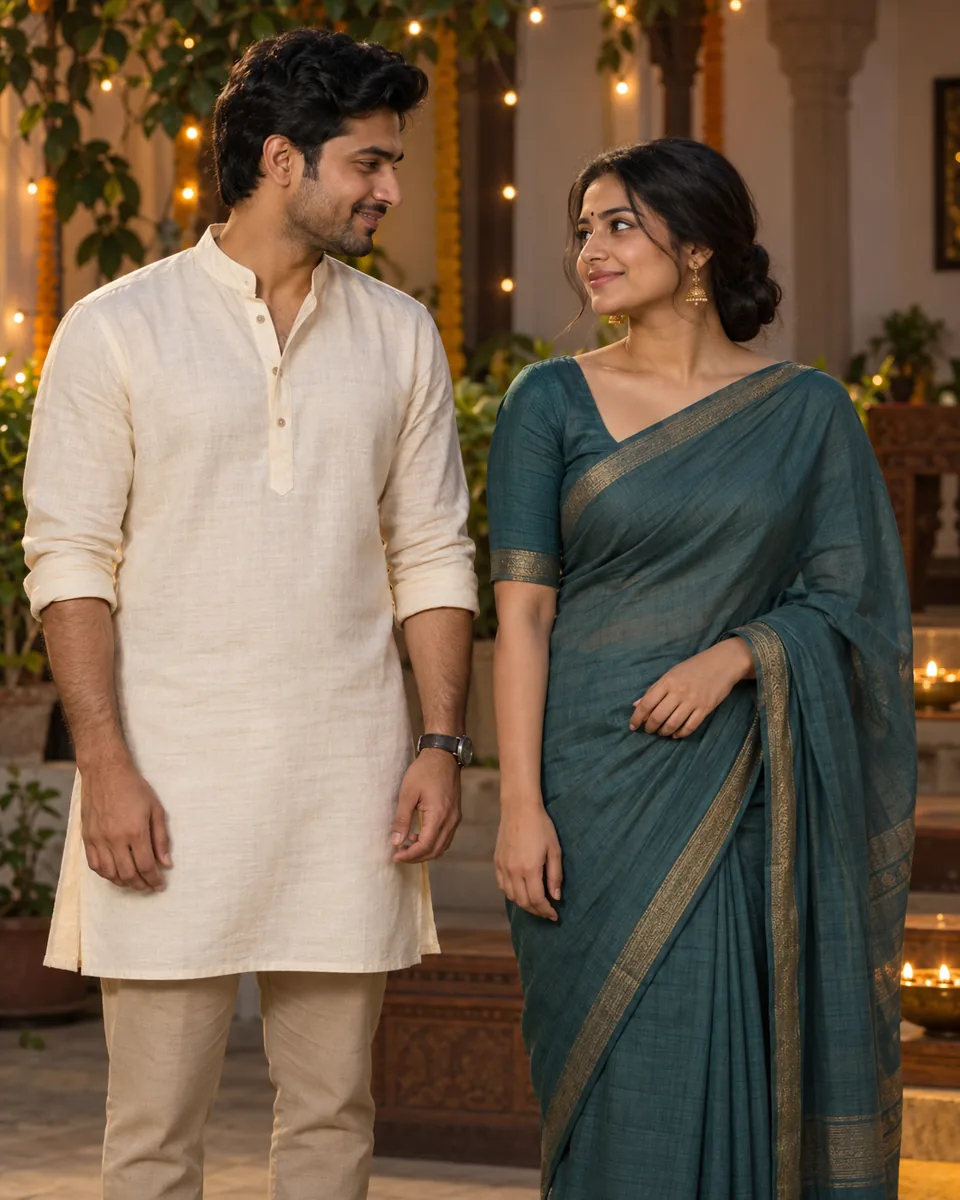
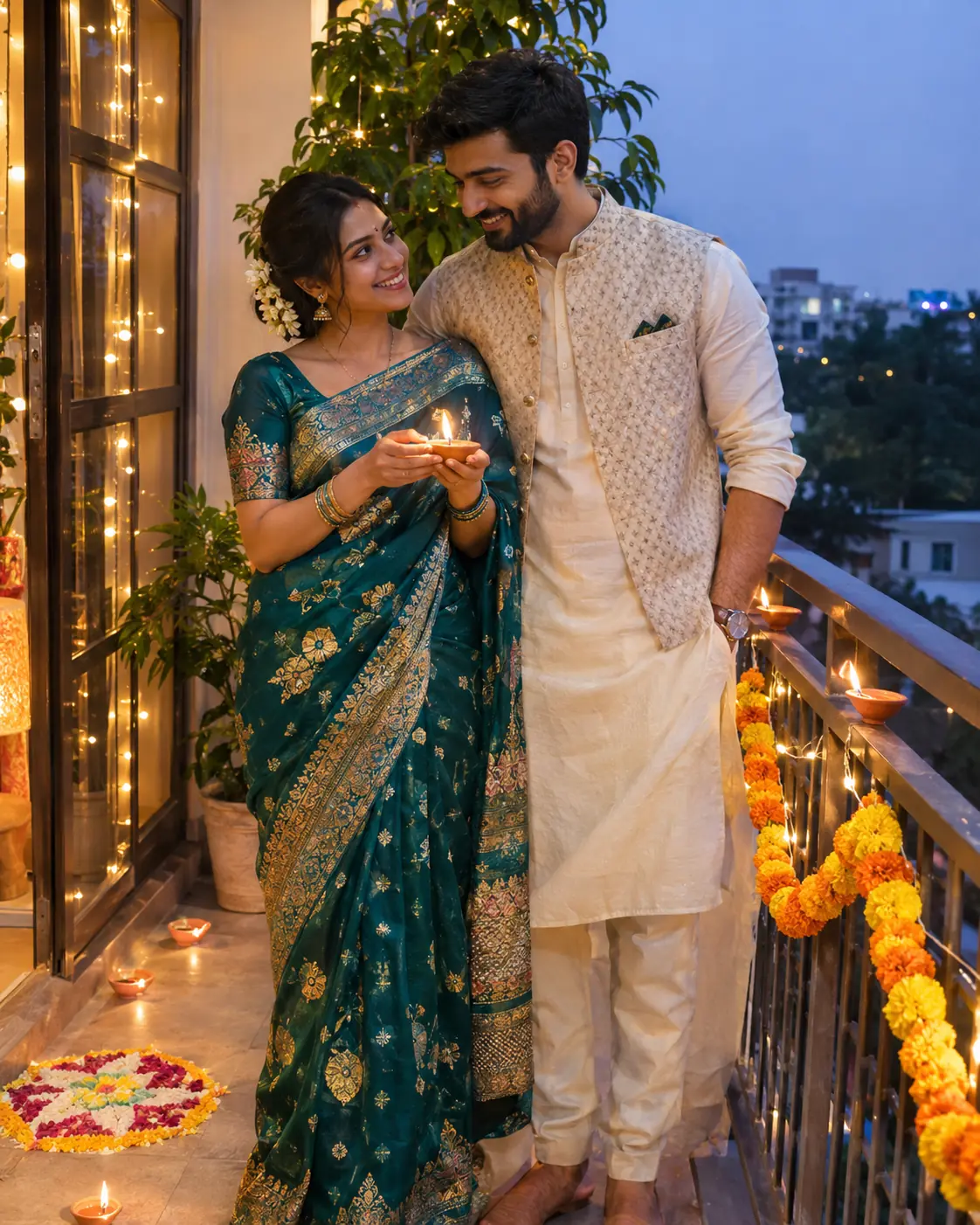
You have separate photos where both of you look good, but the picture together is always a little awkward. One person is looking away, the other is under a harsh light, and the festive background takes over the frame. This festive couple AI photo prompt keeps the scene calm, with two clear faces and outfits that work together.
An ivory kurta and a muted teal saree bring contrast without making both people wear the same colour. The small smile between them is the main moment. Warm lights stay softly behind the couple, leaving space around their faces.
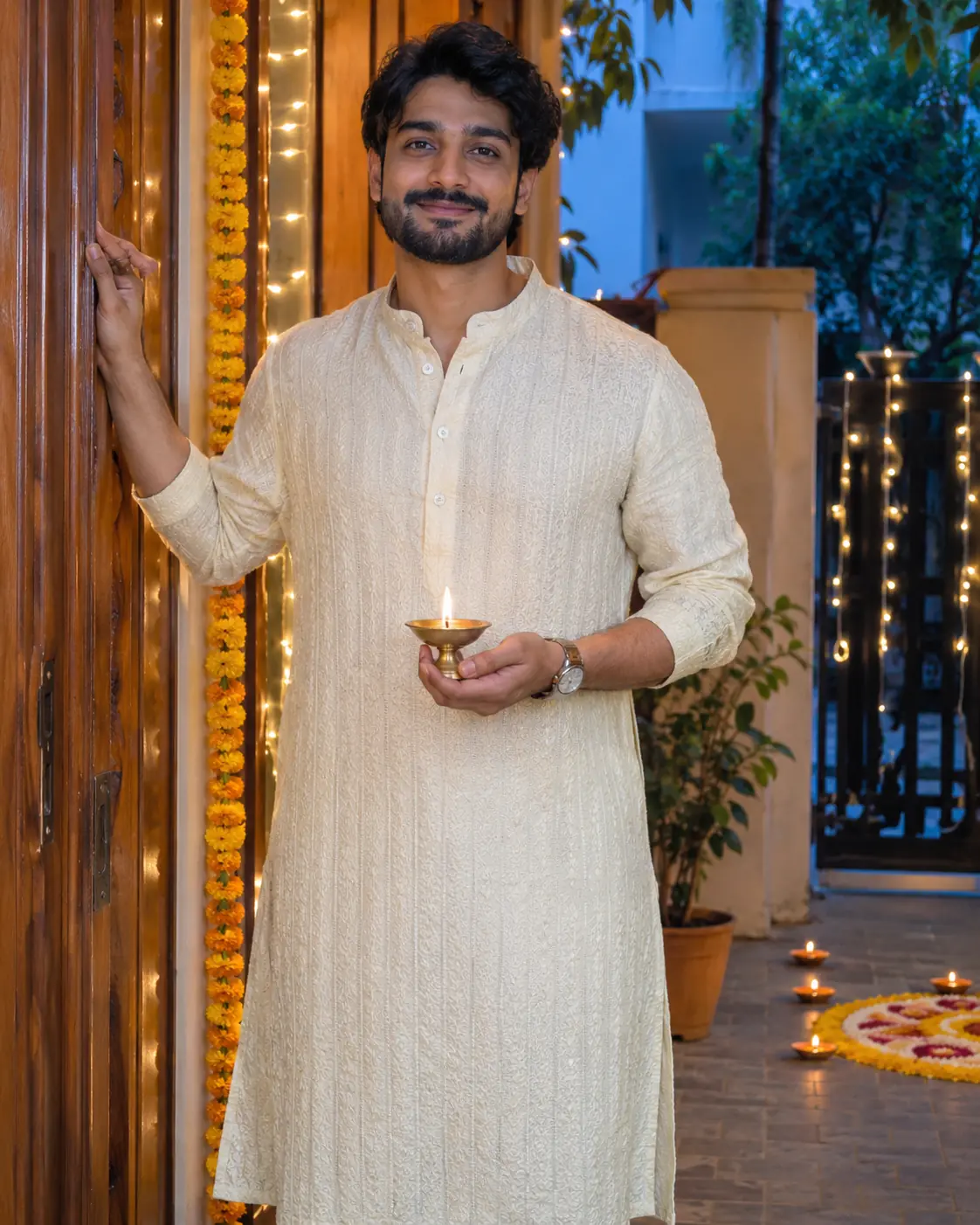
About this example: The featured image was generated with ChatGPT using two original adult models. It is an AI portrait, not a photograph of a real couple. Personal reference photos can guide the identities, but the result still needs checking.
Copy the festive couple AI photo prompt
Create a natural vertical 4:5 festive portrait of an adult Indian couple standing side by side in a softly lit courtyard. If I upload two reference photos, use Photo 1 only for the man and Photo 2 only for the woman. Keep each person’s facial structure, age, skin tone and hair recognisable without mixing their features. If no references are attached, use two original adult models. Dress the man in an ivory cotton kurta and beige trousers with a simple watch. Dress the woman in a muted teal silk-cotton saree with a narrow antique gold border, matching blouse, small gold jhumkas, a loose low bun and small bindi. Frame both from their heads to below the knees at eye level. They turn slightly towards each other with relaxed smiles; both faces remain clearly visible. Keep their arms separate and natural, with no handholding or merged fingers. Add gentle warm light from the front-left, soft string lights and a few blurred marigold garlands in the background. Realistic skin, fabric weave and body proportions. No wedding stage, bridal jewellery, crowd, text, logo or watermark.Shape: Vertical 4:5. Outfits: Ivory kurta and teal saree. Pose: Standing side by side with a relaxed glance. Example tool: ChatGPT image generation.
Give each reference photo a clear role
Choose one sharp photo for each person. Both faces should be visible without sunglasses or a strong filter. Similar lighting helps: a clear daylight portrait is easier to compare than a dark selfie for one person and a bright studio photo for the other.
Upload the man’s photo first and the woman’s second if you follow the labels in this prompt. Tell the tool which person belongs to which image. If you reverse the upload order, update the labels too. This small step reduces ambiguity, although it cannot guarantee perfect identity preservation.
A photo where you are already together can also work as a single reference. In that case, replace the two-photo instruction with a request to keep both people from the attached image. Do not include both versions of the reference instruction in the same request.
Make the first version simple
Paste the complete prompt into an image editor that accepts references. Start with the standing pose and separate arms. There is no need for a dance move, a dramatic dip or several props. A simple first image makes it easier to see whether both people still look like themselves.
If you use Gemini, check Google’s official image generation and editing guide for the supported upload options. Features may differ by account. The sample shown here was made with ChatGPT rather than tested across every image tool.
Compare the faces one at a time
Look at the man’s eyes, nose, jaw and hair first, then repeat the same check for the woman. A pleasing image can still have the wrong identity. Do not accept a result only because the clothes and background look good.
If one face changes, ask to correct that person using the matching reference while leaving the other person unchanged. Avoid asking for both faces to become more attractive or symmetrical. Those instructions can move the result further from the original photos.
Keep age and skin tone consistent too. A warm light should not make one person much lighter than the other. Ask for natural individual skin tones under the same soft light if the colour balance feels uneven.
Coordinate the clothes without making them identical
The ivory kurta is light and simple, while the teal saree adds a deeper colour. The narrow gold border and small earrings connect naturally with the warm background. Keep the jewellery restrained so the scene reads as a festive portrait rather than a bridal photo.
Check that the saree border follows the drape and does not stop halfway across the shoulder. The kurta should have believable buttons, seams and folds. If you want a solo outfit picture too, our black kurta portrait prompt for boys offers a separate evening look.
Leave enough space between the arms
Couple images can go wrong where the hands or sleeves overlap. This pose leaves a little space between the bodies and avoids handholding. In the example, one hand can rest lightly near the saree; it should remain separate from the partner’s arm.
If a hand merges into clothing, ask for the arms to rest clearly at the sides with a small visible gap. Keep the faces and framing unchanged. Check the watch, wrists and fingers before moving on to the background.
Make the glance feel comfortable
Both people should turn only slightly towards each other. A full side profile can hide too much of a face, especially when you are trying to preserve identity. Ask for a three-quarter view with both eyes visible if the turn is too strong.
A small smile is enough. If the expressions look stiff, ask for a relaxed pause between conversation, with soft shoulders and no exaggerated grin. Keep the camera at eye level so one person does not look unusually small or stretched.
Save the photo in the right frame
Leave space above both heads and below the hands. A 4:5 portrait works well when the outfits matter. For a taller story image, generate a separate 9:16 version with more scene around the couple rather than cutting off one person or stretching the picture.
For a different shared moment, try the couple umbrella portrait guide. If you want a solo saree image alongside this couple photo, see the red and white festive saree prompt.
Use photos both people are comfortable editing and sharing. Check each face and hand at full size, then save the version that feels like the two of you. Describe the finished picture as an AI edit when posting it.



2 thoughts on “Festive Couple AI Photo Prompt: Ivory Kurta and Teal Saree”