
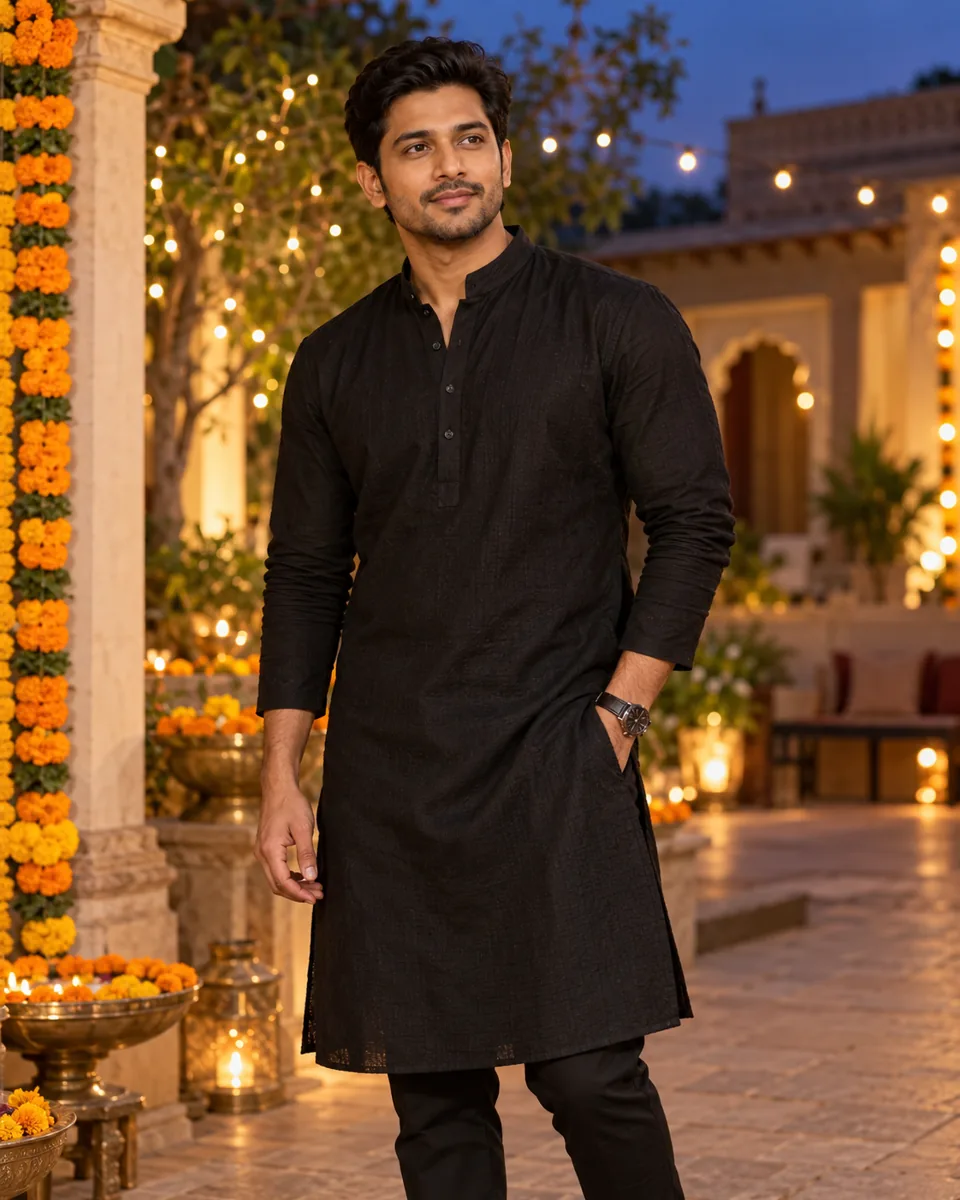
The lights are on, your friends are ready to leave and you still need one good photo in your kurta. A black outfit looks sharp in person, but a quick phone picture can lose the fabric detail or leave the face too dark. This black kurta AI photo prompt builds the portrait around soft light and a relaxed pose.
The setting is a quiet festive courtyard rather than a crowded stage. Small lights sit behind the subject, while the face stays clear. It suits an evening celebration, a family gathering or a simple festive profile picture.
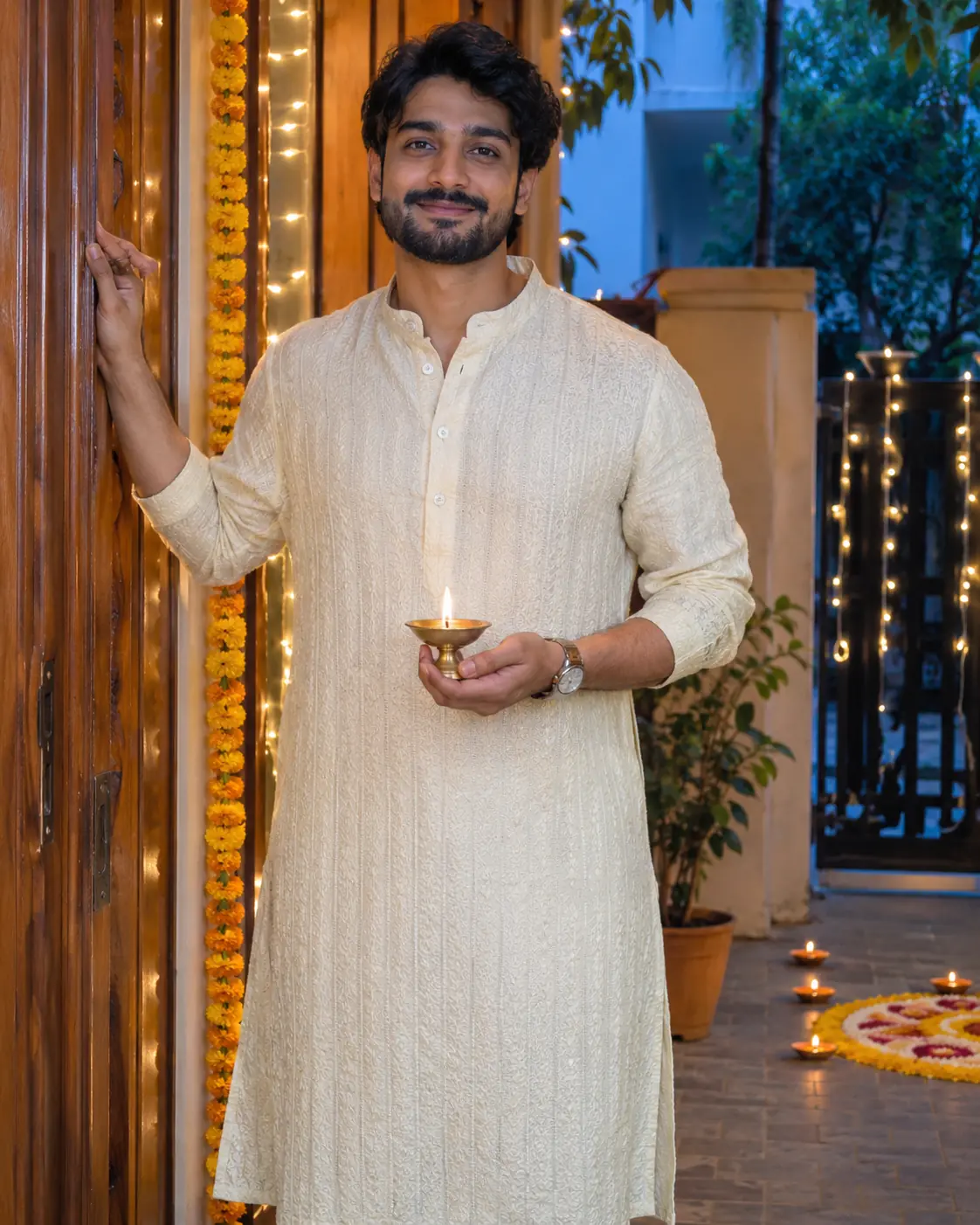
Example image: Created with ChatGPT image generation using an original adult model. It shows the intended outfit and lighting, not a real event. Adding your own reference may produce a different result; an exact face match is not guaranteed.
Copy the black kurta AI photo prompt
Make a realistic vertical 4:5 festive portrait of an adult Indian man in a deep black cotton kurta with subtle woven texture and a simple dark wristwatch. Use my uploaded photo as the identity reference, keeping my age, facial structure, skin tone and hair recognisable. If no reference is attached, create an original adult model. Place him in a quiet Indian courtyard at blue hour, with softly blurred warm string lights and a few marigold garlands behind him. Frame from the head to below the knees at eye level. His torso is turned slightly, shoulders relaxed, gaze just past the camera and expression calm. One hand rests loosely in the kurta side pocket; the other hangs naturally with correct fingers. Light the face softly from the front-side. Keep detail in the black fabric, natural skin texture and realistic body proportions. No sunglasses, theatrical props, crowd, text, logo or watermark.Ratio: 4:5 vertical. Outfit: Black cotton kurta. Pose: One hand in a side pocket, one relaxed. Example tool: ChatGPT image generation.
Start with a photo where your face is easy to see
Choose a clear reference with even light on the face. Keep the forehead, ears and hairstyle visible. A normal phone portrait is enough; a strong beauty filter or very dark selfie gives the editor less reliable detail to work with.
A standing or waist-up reference is helpful for this composition. If you only have a close selfie, check the shoulders and neck carefully in the result because the tool will need to invent the rest. Use a photo of yourself or someone who has agreed to the edit.
Build the evening light before adding extra style
Upload the reference to an image tool that supports photo editing and paste the full prompt. Choose a vertical frame if the tool offers it. Keep the first request focused on the kurta, face and courtyard. Adding a car, fireworks and a dramatic sky at the same time gives you more details to fix.
If you use Gemini, its official image editing guide explains the upload process and available features. The sample here was created with ChatGPT, so treat the result as a visual example rather than a Gemini performance claim.
Check the face first. Compare the eyes, nose, jaw and skin colour with your reference. Only after those look right should you judge the background blur or outfit texture. A brighter face should still have natural shadows, not a flat white glow.
Keep the black kurta from becoming a solid shape
Black fabric needs a little light along the folds and sleeve edges. If the whole outfit becomes a plain dark block, ask for soft reflected light on the kurta while keeping the fabric black. You want to see the weave and buttons without turning it grey.
Look at the shoulder seams and collar too. An uneven collar can make a good portrait look unfinished. Ask for a clean simple neckline and natural folds around the elbows. Avoid adding heavy embroidery unless that is the outfit you actually want.
Use the pocket pose without forcing the arm
The pocket hand should look loose, with a relaxed elbow. If the wrist bends sharply or the pocket appears in an odd place, ask for both arms to rest at the sides instead. A believable easy pose is better than a complicated one that draws attention to the hands.
The watch belongs on one wrist only. Zoom in to check that it does not merge with the sleeve, and count the fingers on the visible hand. Make a small correction to the hand or watch instead of regenerating the entire scene with several new instructions.
Keep the lights behind you, not across your face
A few warm circles of light give the courtyard depth. They should not sit directly over the eyes or form a bright outline around the hair. If the background becomes too busy, ask for fewer lights and more space around the head.
Keep the warm colour mostly in the background. If the skin becomes orange, request neutral skin tones with the festive lights unchanged. For a different lighting mood, compare the approach with our dark moody portrait prompt; that guide uses a different setting and should not be mixed into this outfit request.
Save a crop that keeps the outfit visible
The 4:5 frame leaves room for the kurta and relaxed hands. Keep a little space above the hair and do not cut directly through a wrist. For a story or reel cover, request a separate 9:16 version with more courtyard around the subject rather than stretching this image.
If you are planning a photo with your partner as well, the couple umbrella photo prompt offers a different outdoor scene. Use the black kurta look for the solo picture, then choose a separate prompt for the two-person pose.
Before sharing, check the collar, hands and eyes at full size. Keep the version that still looks like you, and describe it as an AI edit when you post it.



6 thoughts on “Black Kurta AI Photo Prompt for Boys: Festive Evening Portrait”