
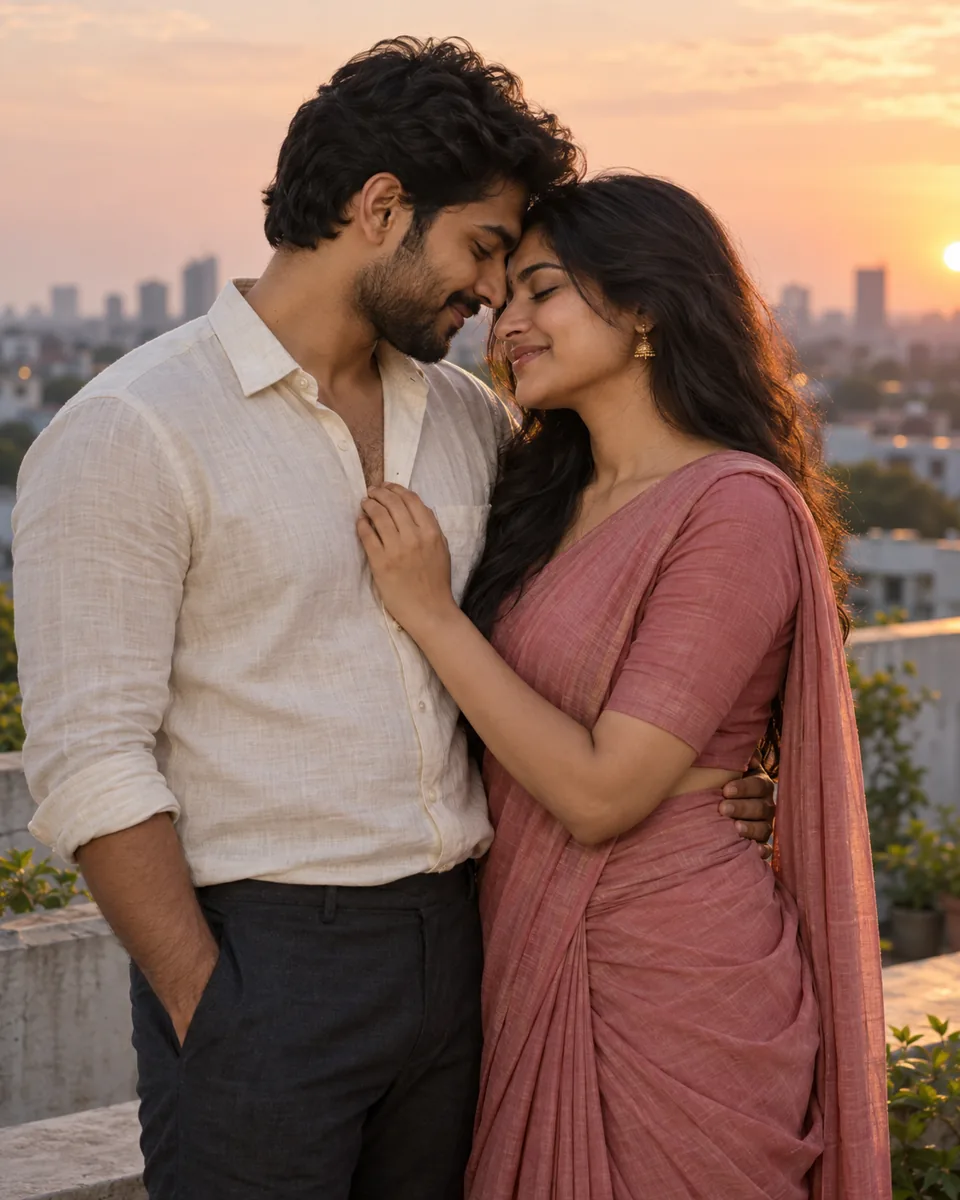
Some couple photos look like two people waiting for the camera. You stand next to each other, smile politely and still miss the feeling you wanted. This romantic couple rooftop AI photo prompt starts with a small moment instead: a gentle forehead touch, a hand resting on the chest and the last soft light of the evening.
The clothes stay simple so the connection gets the attention. A cream linen shirt and a dusty rose saree fit the warm sky without turning the scene into a wedding shoot. Use it for an anniversary idea, a shared profile photo or a quiet portrait together.
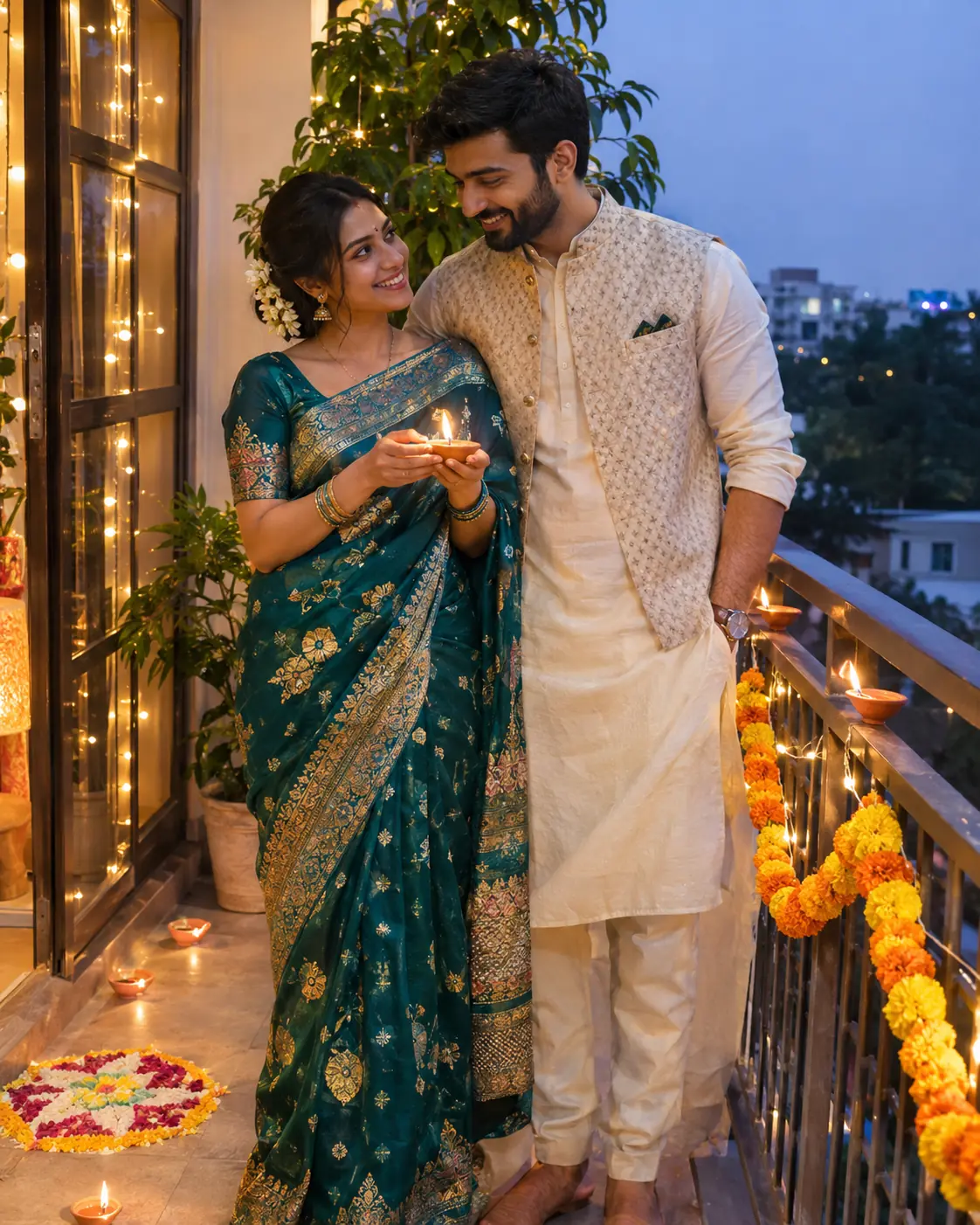
Image note: The featured example was made with ChatGPT image generation using original adult models. It shows the intended pose and mood. It is an AI-created scene, and matching two personal reference faces may require corrections.
Copy the romantic couple rooftop AI photo prompt
Create a photorealistic vertical 4:5 romantic rooftop portrait of an adult Indian couple at sunset. Use the uploaded reference photos to keep each person’s own facial features, age, hair and skin tone recognisable. Photo 1 is the man and Photo 2 is the woman; do not blend or swap their identities. Without references, create two original adult models. The man wears a cream linen shirt and charcoal trousers. The woman wears a dusty rose cotton saree with a simple blouse and small gold earrings. They stand close, turned towards each other. He gently rests one arm around her waist; she places one hand lightly on his upper chest. Their foreheads touch softly, eyes gently closed and small relaxed smiles. Show both faces in three-quarter view. Keep the remaining arms relaxed and clearly separate, with natural hands and correct fingers. Use a waist-up frame, soft golden light, a peach sky and a distant city softly out of focus. Natural skin texture, realistic proportions and a quiet affectionate mood. No wedding stage, exaggerated jewellery, text, logo or watermark.Frame: Waist-up, vertical 4:5. Setting: Rooftop at sunset. Pose: Gentle forehead touch and a relaxed waist embrace. Example tool: ChatGPT image generation.
Choose two references that work together
Pick one clear photo of each person with the face unobstructed. Similar lighting is useful, but the photos do not have to come from the same day. Avoid heavy filters, sunglasses and hair covering most of the face. Use only photos both people are comfortable editing.
The prompt labels the man as Photo 1 and the woman as Photo 2. Keep that upload order or change the labels before you paste it. If you have one good photo together, replace the two-photo instruction with a request to preserve both people from that single image.
For this pose, a reference taken at a slight angle can be useful because the final faces are turned towards each other. A front-facing reference can still guide the tool, but check the nose and jaw when it builds the three-quarter view.
Let the forehead touch stay gentle
The couple should look comfortable, with relaxed necks and shoulders. A small lean is enough. If the heads press together too hard or one neck bends sharply, ask for a light forehead touch with natural posture and a little space between the noses.
Closed eyes can make the expression feel quiet, but they also hide a useful identity detail. If the faces no longer look familiar, try slightly open eyes and a soft downward gaze. Keep the same pose while you correct the identity rather than changing the clothes and setting too.
This is a romantic pose because the people interact: the waist embrace, hand on the chest and close expression all tell the same story. A larger smile or more jewellery is not needed. Ask for a brief affectionate pause rather than a formal pose.
Generate one clear version first
Upload the references to an image editor that accepts personal photos, then paste the complete prompt. If there is an aspect ratio control, choose 4:5. Start with one result and compare both faces before generating several variations.
If you use Gemini, Google’s official image editing guide explains the supported upload process. Available features vary by account. The featured example here was created with ChatGPT, so it should not be treated as a test result from every tool.
Check the man’s face against his reference, then check the woman’s separately. Look at the hairline, nose, jaw and individual skin tones. If only one face needs work, identify that person clearly and ask the editor to leave the other face unchanged.
Check the embrace before saving
A hand around the waist can disappear behind fabric or join another arm. Follow each arm from shoulder to wrist. You should be able to tell which hand belongs to which person without guessing. Watch for an extra finger near the saree folds.
The hand on the chest should rest lightly with a natural wrist. If the fingers look stiff, request a smaller relaxed hand placement with fewer fingers visible. Keep the embrace gentle and avoid several overlapping hands in the same small area.
If you prefer a pose with more space between the bodies, our festive couple portrait in a kurta and saree uses a side-by-side composition. Choose the pose that feels comfortable for you rather than combining both instructions.
Use sunset colour without changing the skin
The peach sky should sit behind the couple, while the faces remain softly lit. Strong orange colour across both faces can hide skin detail. Ask for warm evening atmosphere with natural skin tones if the first result looks too yellow.
Keep the linen shirt cream and the saree dusty rose. If the outfit colours become bright white and hot pink, request muted fabric colours and visible cotton texture. A little shadow in the folds helps the clothes feel real.
Give the portrait enough breathing room
A waist-up crop keeps the expressions close while showing the hand placement. Leave room above both heads and avoid cutting through a wrist. Keep the skyline soft so buildings do not appear to grow out of the hair.
For another romantic setting, try the couple sharing an umbrella photo prompt. Use a separate generation if you want rain; adding rain to this sunset scene changes the light and mood.
Before sharing, zoom in on the faces and hands, then view the image at phone size. Keep the version where the expression feels natural and both people still look recognisable. Describe it as an AI edit rather than a photograph of a real rooftop visit.



4 thoughts on “Romantic Couple Rooftop AI Photo Prompt: Forehead Touch at Sunset”